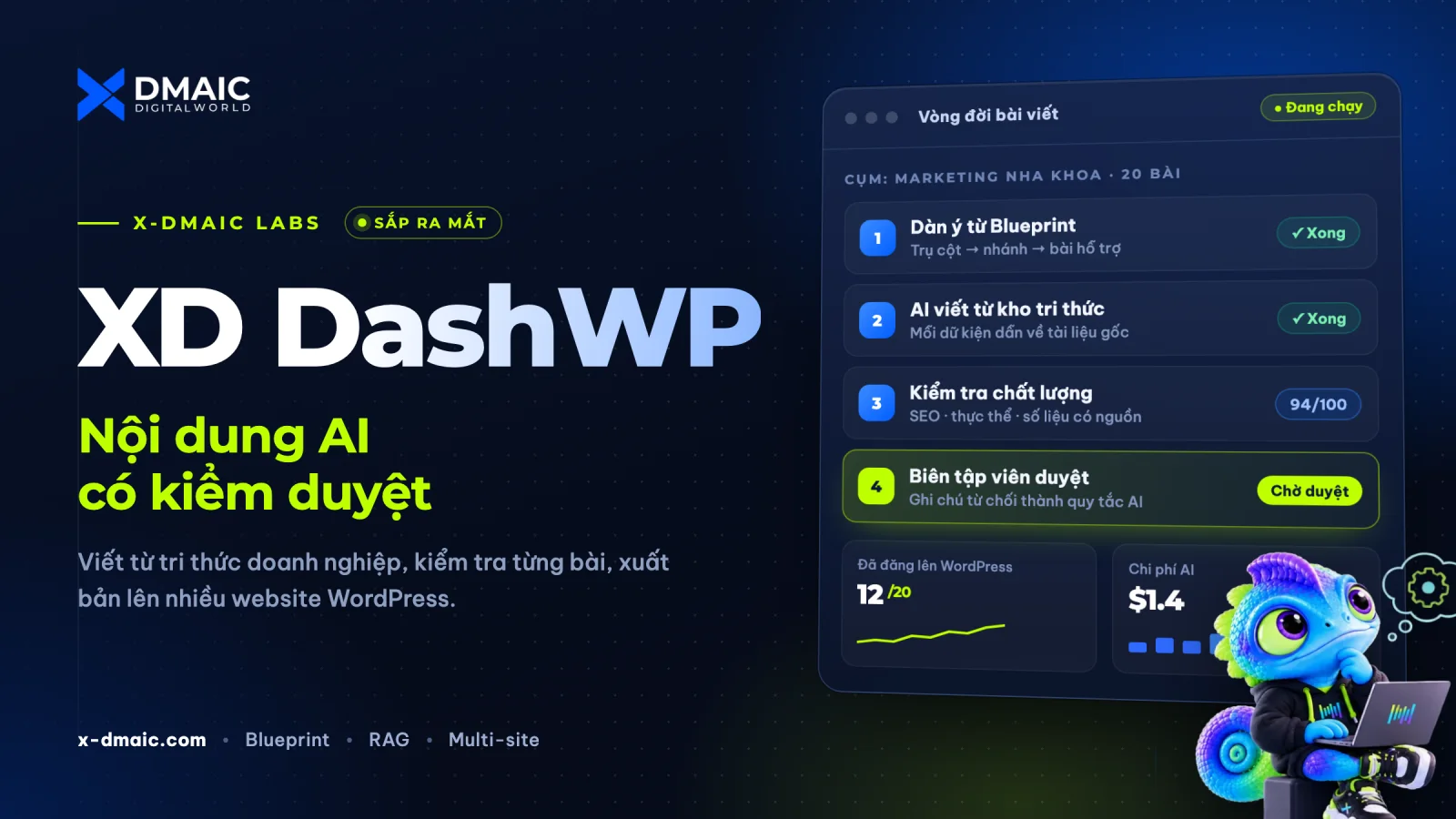
Most AI writing tools produce text, not content strategy. Articles come out generic, figures appear without a source, posts in the same site compete for the same keyword, and nobody can say afterwards what the AI changed or why.
XD DashWP is an AI SEO content writer for WordPress that treats content as an operating process. It plans a topic cluster against what Google actually shows, writes from the documents your business provides, blocks articles that fail its checks, and leaves the final call to an editor. Every action on a WordPress site is logged and can be rolled back.
Why Structure Decides the Quality of AI Content
Producing text with AI is no longer the hard part. Keeping quality under control is. Three pieces of evidence show why a tool that only "generates articles" is not enough:
Google does not penalise AI, it penalises volume without value. Google's guidance on AI-generated content (February 2023) rewards helpful, high-quality content however it is produced, but treats content made primarily to manipulate rankings as spam. In March 2024 Google added a scaled content abuse policy and reported 45% less low-quality, unoriginal content in results after the update. Mass-produced articles with no plan and no review are exactly what this targets.
Without a source of facts, language models make things up. A Stanford RegLab and HAI study found hallucination rates of 69% to 88% when popular models answered specific, verifiable legal questions. The models tested were from 2023, but the lesson holds: a figure that has no source cannot be trusted.
Grounding the model in documents makes output more factual. The original Retrieval-Augmented Generation paper (NeurIPS 2020) showed that retrieving documents before writing produces more specific and more factual text than relying on the model's memory alone.
DashWP is built around those three findings: a Blueprint checked against Google before anything is written, facts drawn from your own documents, and an editor who approves every article before it goes live.
How It Works
Connect your sites. Each WordPress site connects through a lightweight connector plugin, its own Application Password and an HMAC secret. Sites only execute write requests the hub has signed; the heavy processing stays in the app.
Build the Brand Brain. Fill in the brand profile (voice, audience, strengths, preferred and banned keywords, E-E-A-T author, money pages), then load company documents: product sheets, price lists, policies, brand guides (.docx, .md, .txt or a URL). A preview step filters out layout noise and duplicates before anything enters the knowledge base. The app scores how complete the brain is and lists what to add next.
Plan a Blueprint. Enter your field and the number of articles. DashWP surveys Google for each keyword and proposes 4 to 5 clusters (pillar → sub-pillar → supporting articles), each tied to the product page it should lead to. Articles with the same search intent as one another, or as a page you already rank for, are flagged for merging. The result is a draft until you activate it.
Write and check. Choose Single-Pass (one AI call per article) or Multi-Step (outline → each H2 section with its own knowledge lookup → final pass). Every article runs automatic checks (keyword in title, intro and headings; heading count; length; banned words; entity coverage; figures without a source) plus an AI quality review. A failing article is revised automatically up to two rounds, then handed to an editor.
Review and publish. Approve to publish, or reject with a reason and a note. Rejection notes become rules in the AI memory, so the next article avoids the same mistake. Approved clusters sync to WordPress in the background; repeated WordPress errors trip a circuit breaker instead of pushing a batch of broken posts. AutoPilot can schedule the next article at a fixed interval, and still waits for approval unless you explicitly enable auto-publish.
Measure and link. Cluster performance compares clicks, impressions and position over 28 days by cluster and by article. Quick Wins lists keywords ranking 8 to 22. Traffic Siphon finds articles that already get traffic and adds internal links to the pages you want to push, following the pillar ↔ sub-pillar ↔ supporting matrix.
The Life of an Article
Built-in Controls
Human approval by default: auto-publish only applies when the quality review passes; if the review cannot run, the article always waits for an editor.
Audit log and rollback: every agent action is recorded with the data needed to undo it.
Cost cockpit: token and API spend by agent, by site and by month. A 20-article cluster costs roughly USD 1–2 in AI fees on a paid plan.
Agent growth tracking: first-pass approval and rejection rates per agent and topic, with learning goals you set.
Voice assistant: ask for figures, cluster performance or open issues by voice; important actions such as approving, deleting or enabling AutoPilot always ask for confirmation.
Technical Overview
Component
Details
Application
Desktop app (Electron + Next.js), data stored locally in SQLite
AI models
Google Gemini and DeepSeek, using your own API keys
Search data
Serper (Google results, cached about 7 days), Google Search Console, GA4
WordPress
REST API + connector plugin, Application Password, HMAC-signed requests
Media
Featured images and diagrams in brand colours, audio summaries (Gemini TTS, Edge TTS)
Licensing
Sign-in, trial and plans managed by XD Whitelist, the X-DMAIC licensing backbone
Who It Is For
Businesses building an industry blog without a large in-house content team.
SEO and marketing agencies running content for many clients with consistent quality and transparent reporting.
Industry publications that want to shorten research and drafting while keeping editorial control.
Status
XD DashWP is in internal testing. Sign up for early access to be among the first users.
Xem doanh nghiệp đã sẵn sàng tối ưu phễu chưa, nên tập trung vào khâu nào, hay cần sửa gốc trước khi tăng ngân sách quảng cáo. Theo phương pháp X-DMAIC.